
Just Dance Now
Ubisoft EntertainmentMusic
3.842.86K Reviews
- Version
- 9.9.0
- Installs
- 50.00M
- Age Rating
- Everyone 10+
Screenshots
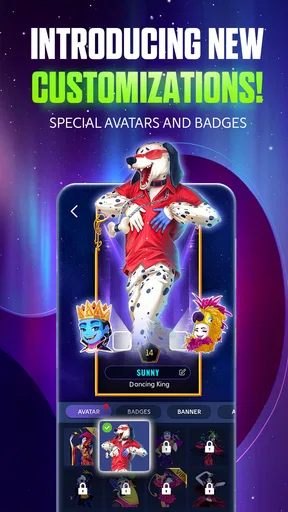
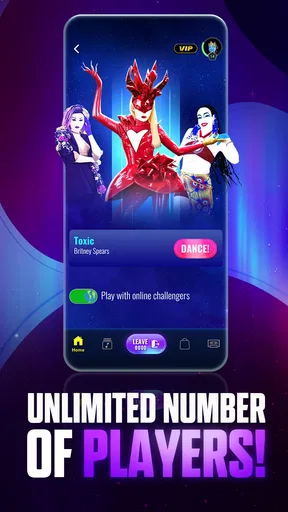
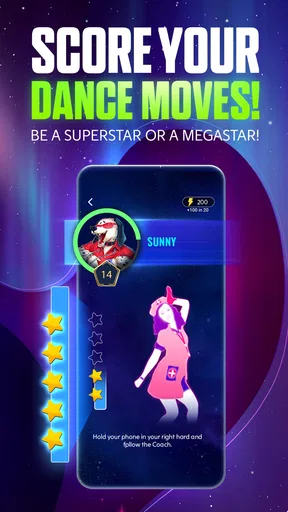
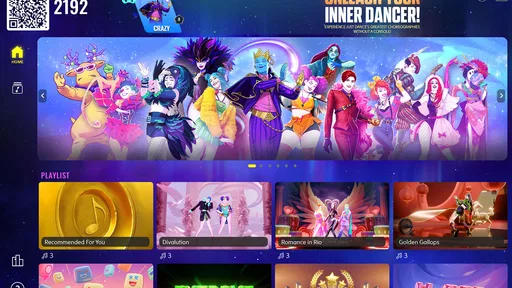
Our Review of Just Dance Now
 Analysis by Appyee
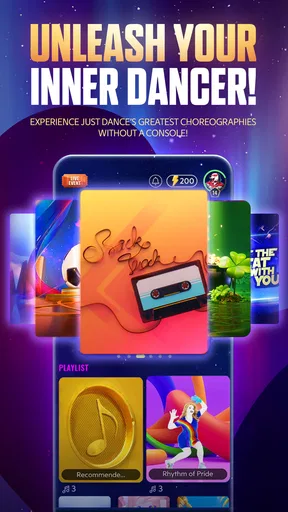
The first thing I notice about Just Dance Now is that it treats dancing as an activity you can start on a whim, rather than a skill you need to prepare for. I can picture opening it after work, moving a chair aside, and turning a spare patch of floor into a small stage. That approachable idea is the game’s strongest appeal: it puts familiar, choreographed pop performance within reach without asking me to own a dedicated console.
A casual game with a party-game spirit
Made by Ubisoft Entertainment, this free music game has the feel of a living-room party game adapted for phones and screens. Its audience is broad, but the age guidance is Everyone 10+, a sensible detail for families deciding whether it suits a shared play session. It has reached over 50 million installs and holds an average rating of 3.9 from around 1.2 million ratings, so it is clearly a well-known option in its corner of mobile gaming; those figures suggest reach, not that every household will find setup equally smooth.
The key distinction from a conventional mobile rhythm game is physical involvement. Many music games ask me to tap notes or time swipes while looking down at a handset. Here, the point is to watch the choreography on a larger screen and move along, using the phone as part of the play experience. That makes it more social and active than a typical tap-based alternative, but less convenient if I want a quiet game on a bus or a quick round while sitting down.
The Dance Floor in Your Pocket
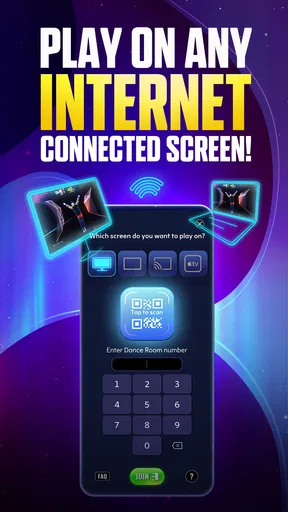
First things first, Just Dance Now is all about accessibility. You don’t need a gaming console or a fancy setup. All you need is your smartphone, and you’re good to go. The app connects to a screen via the internet, so whether it’s your smart TV, a laptop, or even a tablet, you’ve got yourself a dance floor. This flexibility is a game-changer, especially if you’re like me and love impromptu dance sessions.
Getting Started
Once you’ve got the app installed, setting it up is a breeze. You just connect your phone to the screen of your choice using a simple code, and you’re ready to groove. The app turns your phone into a motion controller, tracking your movements as you follow the dance routines on the screen. It’s surprisingly accurate, so don’t be surprised if you find yourself perfecting those moves you thought you’d never get the hang of.
Making the room work for you
The screen-and-phone arrangement is convenient, though it does mean the room matters. Before starting, I would check that the display is visible from the spot where I plan to dance, move anything easy to trip over, and keep the phone firmly in hand as the routine begins. A crowded kitchen or narrow bedroom can make bigger gestures awkward; a cleared living-room area is a better fit. This is also why I would treat the game as movement and entertainment, not as a precise dance-class substitute: following a routine is the goal, not mastering every technical detail of a step.
For a relaxed first session, I would choose a song I already know, then try a more energetic routine once I understand how the phone is being used. That small choice lowers the pressure and makes it easier to enjoy the performance rather than worry about scoring. If the phone feels uncomfortable or distracting, I would pause and adjust my grip before continuing. A controller-based console setup may feel more purpose-built for someone who wants a dedicated game station, while this phone-led arrangement wins when convenience and portability matter more.
A Playlist for Everyone
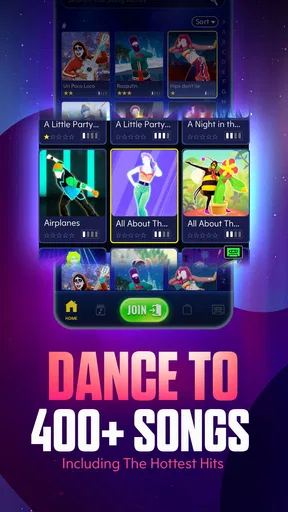
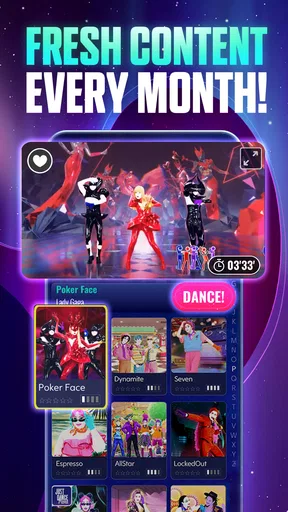
The app boasts a huge selection of songs from various genres and eras. Whether you’re into pop, rock, or even some good old classics, there’s something for everyone. The playlist is constantly updated, so you’re always in for a fresh experience. Personally, I love how they mix in the latest hits with some nostalgic tunes that take me back.
If you’re a fan of themed playlists, you’re in for a treat. From holiday specials to decade-specific hits, Just Dance Now keeps things interesting and ensures you never run out of reasons to dance.
Sound, choreography, and the mood of a song
Music is not just a backdrop here; it gives each routine its identity. A song’s tempo and mood shape how the choreography feels, and the on-screen dancers make the activity read like a short performance rather than a sequence of abstract prompts. That visual language is part of the fun: I can follow the energy of the routine even when I do not know every move. The trade-off is that a screen you can barely see, or audio that gets lost in a noisy room, weakens the whole experience. I would place the display where everyone can watch it and set the volume before inviting people to join.
When choosing a song for a mixed group, I would start with something whose energy feels welcoming rather than assuming everyone wants the fastest routine. Familiar music can help hesitant players join in, while switching styles keeps a longer session from feeling like the same dance repeated. The game works best when the playlist is treated as a way to shape the room’s mood: a gentle warm-up, a burst of silliness, then a change of pace before people get tired.
Dance with Friends
One of the coolest features is the ability to dance with friends. You can invite your friends to join your dance room, and it doesn’t matter where they are. It’s a great way to stay connected and share some laughs, especially when someone’s rhythm is a bit off. The more, the merrier!
Sharing the floor without making it a contest
For a family evening or a low-key get-together, I would use the shared room as a prompt for participation rather than a test of who dances best. People can take turns, copy the screen loosely, and laugh when a move goes sideways. If friends are joining from elsewhere, it helps to agree on a song and have everyone sort out their own space first; a shared session is only fun if people can see the choreography and move safely where they are. This is a more active kind of social play than passing around a phone for a turn-based game, but it does ask everyone to be comfortable dancing in view of others.
That last point matters. Someone who dislikes performing, has limited room to move, or simply wants a private music game may be happier with a headphone-based rhythm title. I would also avoid treating a remote dance session as a substitute for being together in the same room: the shared routine gives people something to do, but it cannot remove the practical differences between dancing beside friends and joining them through a screen.
Challenges and Rewards
For those who thrive on a bit of competition, the app offers challenges and leaderboards. You can track your performance, set personal goals, and even compete with dancers worldwide. There’s something incredibly satisfying about seeing your name climb up a leaderboard, and it’s a fun way to keep pushing yourself.
Keeping competition in perspective
Scores and rankings can give repeat sessions a useful purpose, especially if I want a reason to revisit a routine and notice whether I am following it more closely. I would use them as a light nudge, not as a dependable measure of dance ability. A phone-based motion game is there to make moving enjoyable; it is not the same as a coach watching posture, balance, or technique. If a score disappoints, I would first check that the screen is easy to see and that I have enough room to copy the routine before assuming I need to dance harder.
This distinction also helps decide whether the game suits a particular goal. It can make a rainy afternoon more active or break up a long stretch of sitting, but anyone seeking structured exercise instruction, progressive training, or detailed feedback should choose a dedicated fitness or dance-learning option instead. I see its best use as playful movement with music, where a little competition can add momentum without becoming the point of the session.
In-App Purchases
While the app is free to download and use, there are in-app purchases for those who want more. You can subscribe for unlimited access to the full song catalog. It’s worth considering if you find yourself hooked, as it opens up a world of dancing possibilities.
Choosing whether to spend
It is available at no charge, while optional in-app purchases range from $0.49 to $99.99 per item. I would begin with the free experience and only consider paying after checking that the available songs, the screen setup, and the way the game tracks movement work for my household. The practical question is not simply whether a larger catalog sounds appealing; it is whether I will actually return often enough to use it. If I only want an occasional party game, keeping spending optional makes sense. If dancing becomes a regular shared habit, broader access may be more attractive, but I would still decide based on the current choices shown in the app rather than assuming every song is included by default.
There are a few other useful checks before settling in. The game relies on a phone and a separate screen working together, so I would make sure both are connected and positioned comfortably before guests arrive, rather than using setup time as part of the party. I would also plan a short session first: that reveals whether the room, screen visibility, and movement style suit everyone without committing the evening to it. These small preparations matter more here than they do in a tap-to-play music game.
Who will get the most from it
I would recommend it to people who enjoy music-led group activities, families looking for a playful way to move together, and anyone who likes the idea of turning a spare room into a quick dance space. It can also suit a solo player who wants a cheerful break from sitting at a desk, provided there is enough room to move and the screen is easy to follow. Its appeal is less about becoming a dancer and more about having a routine ready when energy or company calls for one.
I would skip it if I wanted a game that works silently, needs no setup beyond opening the app, or can be played comfortably in a tight space. It is also not my first choice for learning choreography carefully or measuring a workout. In those cases, a seated rhythm game, a dedicated dance lesson, or a fitness app built around guided training would be a better match. The right alternative depends on whether I want precise instruction, private play, or a social burst of movement.
Final Thoughts: Dance Like Nobody’s Watching
All in all, Just Dance Now is a fantastic app for anyone looking to inject some fun and movement into their daily routine. It’s user-friendly, versatile, and packed with features that keep the experience fresh and exciting. Whether you’re a seasoned dancer or just looking to have a laugh, this app is sure to get you moving. So, why not give it a try? You might just discover your inner dance star.
Where it fits in a music-game collection
On Android, it requires version 7.0 or later, and the current release is 9.0.0. That makes it a straightforward option for people whose phone meets that requirement, but the phone is only one part of the setup: the larger screen and usable floor space shape the experience just as much. I would check those basics before choosing it over a conventional mobile rhythm game, because the latter is easier to play anywhere while this one earns its place through movement and shared performance.
My overall view is that this works best as a flexible party activity rather than an all-purpose music game. Its routines, songs, and social energy can turn an ordinary evening into something livelier, and the phone-based approach avoids needing a dedicated console. The compromises are real: setup, space, visibility, and willingness to dance all matter. If those conditions fit your home and your mood, it is an inviting way to make music physical; if they do not, a tap-based game will probably be the more comfortable choice.
Privacy and Permissions
See what permissions an app requests and how it handles your data.
- Phone
- read phone status and identity
- Photos/Media/Files
- read the contents of your USB storage, modify or delete the contents of your USB storage
- Storage
- read the contents of your USB storage, modify or delete the contents of your USB storage
- Camera
- take pictures and videos
- Device ID & call information
- read phone status and identity
- Other
- view network connections, full network access, run at startup, control vibration, prevent device from sleeping
Verdict
Strengths of Just Dance Now
- Engaging and fun dance routines.
- Wide variety of music genres.
- User-friendly interface design.
- Real-time multiplayer mode available.
- Connects easily to smart TVs.
Limitations of Just Dance Now
- Requires a stable internet connection.
- In-app purchases can be pricey.
- Limited features in free version.
- Occasional connectivity issues.
- Some songs may not be available.
Other Releases by Ubisoft Entertainment
View All
Hungry Shark Evolution
Arcade4.5

Hungry Shark World
Arcade4.7

Hungry Dragon: by Hungry Shark
Arcade4.5

Just Dance 2016-22 Controller
Music3.5
Similar Picks in This Category
View All
Tiles Hop Music & Ball Game
AMANOTES PTE. LTD.4.3

Magic Tiles 3™ - Piano Game
AMANOTES PTE. LTD.4.6

Real Piano
Bilkon3.7

Piano Game: Classic Music Song
Dream Tiles Piano Game Studio4.0

Smash Colors: Music Ball Rush
BADSNOWBALL HONGKONG LIMITED4.2

Piano Music Go-EDM Piano Games
Joy Journey Music Games4.5
Frequently Asked Questions
Is an internet connection required to play Just Dance Now?
Yes, an internet connection is required to play Just Dance Now. The game streams songs directly to your device, so a stable Wi-Fi or mobile data connection is necessary to ensure smooth gameplay and to access the full catalog of songs. Keep in mind that data charges may apply if you're not connected to Wi-Fi.
Can I play Just Dance Now with friends?
Absolutely! Just Dance Now is designed to be a social experience. You can invite friends to join your dance session by sharing your Dance Room number. Up to six players can join in using their smartphones as controllers, making it perfect for parties or gatherings. Simply sync your devices and dance along together.
Do I need any special equipment to play Just Dance Now?
You don’t need any special equipment to play Just Dance Now. All you need is a smartphone to act as a controller and a screen with internet access to view the dance routines. This setup makes it accessible and easy to play anywhere, whether at home or on the go.
Is Just Dance Now free to download and play?
Just Dance Now is free to download and offers a selection of songs for free. However, to access the full song catalog, you may need to purchase a VIP Pass. The VIP Pass unlocks unlimited access to all songs and additional features, providing a more comprehensive dance experience.
How often is new content added to Just Dance Now?
Ubisoft regularly updates Just Dance Now with new songs and content. These updates keep the game fresh and exciting, offering players new dance routines and challenges. It's a good idea to keep your app updated to the latest version to enjoy all the newest features and additions.
Play our best games!


